Take: Emacs is not a text editor, it's an extensible interface to work
with computer. That old joke about Emacs being an operating system is
about that. Well, and it comes with great text editor.
Example. Why using terminal when you can run a shell command from
Emacs? async-shell-command, start-process, make-process and likes
(e.g. ghostel-shell-command was trivial to implement).
In the core of that is several orthogonal concepts that blend
together: buffer, point, region, keymap, completion. Plus Elisp
programming language, being simple but stood the test of time, being
Lisp 2 (separate namespaces for variables and functions), and having
flat namespace make it easy to learn and adopt to your needs.
Elisp-oriented Emacs concepts: packages, hooks, advices.
My GNU Emacs configuration works from two machines I regularly use.
Configuration is an Org file living within my Notes corpus. Then on
save it's tangled into el file and init.el loads it. I keep custom
packages in separate repository that configuration adds to load-path.
On <2026-08-22 Sat> I bumped into situation, when on one of machines,
after fresh Emacs startup a symbol from lozenge.el package is not
defined.
– prompt
defalias doesn't load via require and use-package why doesn't loading
lozenge.el at emacs startup define an alias ◊git-status? I did
(require 'lozenge), evaluated (use-package) block, added :demand t to
it, still (◊git-status "~/.velppa/hotter.myaddr.dev") was failing with
eval: Symbol’s function definition is void: ◊git-status
I had to go to lozenge.el and do (eval-buffer) there.
Root cause was stale lozenge.elc file that didn't have alias defined.
Solved by removing all elc files, and for the future setting this in
Pavel's Emacs Configuration v3:
(setq load-prefer-newer t)
claude-pager
On <2026-06-03 Wed> I somehow bumped into idea to
use emacsclient as EDITOR in Claude Code.
Turns out CC respects EDITOR env variable, either from
environment or configured in ~/.claude/settings.json:
In that issue I spotted this project: gradigit/claude-pager. Fast C
transcript pager for Claude Code: no blank Ctrl-G screen, clickable
links/files, queued prompt composer. And its sister editor: gradigit/turbodraft.
Tried both. Turbodraft - I don't need another text editor rather than Emacs,
so skipping it. But claude-pager looks useful, so I forked it.
First, I wired Emacs into claude-pager; so that it renders transcripts
in both CC screen when it waits for the prompt + adds it to Emacs temporary
buffer.
This mostly solves clunkiness of copying from claude terminal into Emacs and
back - now I press {C-g} in claude and continue editing in Emacs.
{C-g} in claude opens claude-pager-open that generates transcript
and pastes it into both terminal and to the temp file to edit in Emacs,
then runs claude-emacs-prompt shell file that calls elisp file which
loads into the buffer, assigns keybindings etc.
Then I rewrote the binary from C to Zig. Rewrite used Superpowers to
develop a spec first, then launch a series of agents. It took 4+
hours for CC to finish rewrite, it was ready in the morning. It used
all extra usage (42 EUR) in fast mode in first 20 minutes.
7000 loc in C => ??? in Zig.
Now I understand the C well.
Another interesting project from the same author:
gradigit/confetti - Lightweight confetti animation for macOS — fire
colorful confetti from your screen corners
Copy buffer-name with easy-kill
easy-kill Emacs package allows killing multiple things, switching
between them on the fly. I use it to quickly grab the
buffer-file-name (full path or file name only), using {M-w b}.
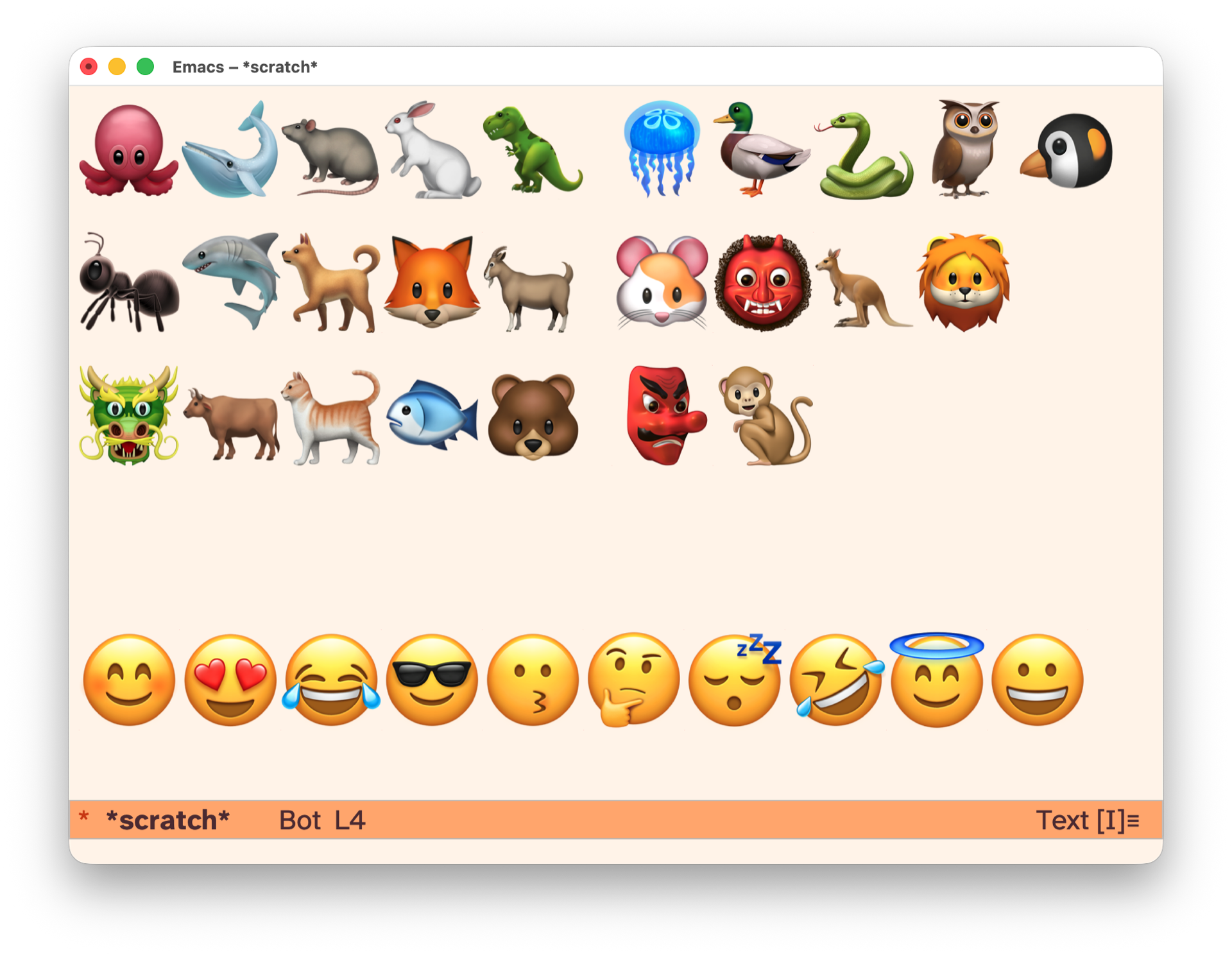
To have fun with kids, I wrapped kids-unicode minor mode that brings
keymap redefining every key to insert emoji. Enable with {M-x
kids-unicode-mode} and have fun typing, encoding names with emojis and
train memory.
At work I work with Terraform, so need to edit quite a lot of tf files
in GNU Emacs. There's no built-in terraform-ts-mode Emacs package and
I don't want to install regexp-based terraform-mode package
Existing terraform-ts-mode is this: kgrotel/terraform-ts-mode, which
claims being experimental. So it's a good opportunity to learn how to
create major modes using Tree Sitter and on <2026-05-05 Tue> I built
my own with Claude Code.
On <2026-04-21 Tue> I switched to ace-window from other-window and
keeping track of what has changed.
Keybindings:
{M-o}: ace-window
{§}: ace-window
{C-x o}: other-window (built-in)
{C-u C-u M-o}: delete window
{C-x }: winner-undo
Good:
{C-u M-o}: swap windows, crux package no longer needed.
window-extras package contains two functions – transpose-windows
(same as {C-u M-o}) and toggle-window-split. Will keep it for now.
Bad:
golden-ratio-mode is not triggered, because it adds after-advice
(ad-Advice-other-window). The advice itself is called
‘golden-ratio-resize-window’. For now I disabled golden-ratio mode.
Will use balance-window {C-x +} ad-hoc.
Things to try:
toggle-window-dedicated {C-x w d}
Advice to org-roam-dailies-goto-today
Currently, when calling org-roam-dailies-goto-today, {C-c n d} for me,
Emacs switches to the daily note buffer, but moves point to
(point-min). I want to advice to first check if the buffer with
"YYYY-MM-DD.org" (for today) already exists, and if so, switch to this
buffer. Related to Org-roam.
Here's an advice function to achieve that:
(defun my-org-roam-dailies-goto-today-advice (orig-fun &rest args)
  "Switch to today's daily note buffer/window if it exists, otherwise create it.
Preserves point position if buffer already exists."
  (let* ((today (format-time-string "%Y-%m-%d"))
         (daily-buffer-name (concat today ".org"))
         (existing-buffer (get-buffer daily-buffer-name))
         (existing-window (and existing-buffer
                               (get-buffer-window existing-buffer t))))
    (cond
     ;; Buffer is already displayed in a window - switch to that window
     (existing-window
      (select-window existing-window))
     ;; Buffer exists but not displayed - switch to it in current window
     (existing-buffer
      (switch-to-buffer existing-buffer))
     ;; Buffer doesn't exist - create it
     (t
      (apply orig-fun args)))))

(advice-add 'org-roam-dailies-goto-today
            :around #'my-org-roam-dailies-goto-today-advice)
This advice:
Checks for buffer by name (not file path)
If the buffer is displayed in any window (even in another frame), selects that window
If the buffer exists but isn't displayed, switches to it in the current window
Edit <2026-04-17 Fri>: check existing buffer using buffer name, not
the buffer vising a file, that depends on org-roam-dailies-directory
(I have two different, but one set of dailies).
Edit <2026-04-21 Tue>: check if the daily buffer is already opened
in existing window, if so - switch to it.
Improve public notes
Next round of improving Textpod on <2026-04-15 Wed>.
Deploy publicly –
Introduced --base-path flag, to serve notes under sub-path.
To start Textpod with sub-path, use:
textpod --token $TEXTPOD_TOKEN --base-path notes
Publish textpod.el to the repository
textpod.el is a companion Emacs package for quick publishing notes
from Org Mode documents.
textpod-org-region-to-note: Convert the Org region between BEG and END to Markdown and send to Textpod.
textpod-org-heading-to-note: Send the current heading’s subtree to Textpod.
textpod-open-current-note: Open the current heading’s Textpod note in a browser.
When creating a note, textpod.el sets TEXTPOD_ID property that's equal
to node'id.
Change separator in notes.md to ^L
Default separator \n\n---\n\n is fragile as it requires exactly two
newlines before / after the note. I often messed up notes when
editing notes.md file manually. To fix that, I replaced it with ^L
character (insert in Emacs via C-q C-l) which usually represents new
pages.
Fix attachments links
Attachement links need to respect --base-path flag.
Handling attachments
My current workflow:
Assets are stored next to Notes under assets/ directory
I can quickly search for them, then open in Emacs/qView:
An image is a link to an image file that does not have a description part (Images (The Org Manual)).
Textpod already support images. What happens when I drag-n-drop an
image file to the textarea? Textpod copies them under attachments
directory.
What I want:
When creating a public note containing an image via API (using
textpod.el), copy the asset to assets/ directory, mimicing the directory
structure in the notes.
I need another API endpoint - POST /notes/assets/<name>, accepting
binary as payload.
Okay, I implemented it, let's test.
textpod-org-heading-to-note
Prompt: Implement textpod-org-heading-to-note function, it should select
current (top) heading - the one that has TEXTPOD_ID parameter, and
call textpod-org-region-to-note on it.
The command {M-x textpod-org-heading-to-note} works!
Should the textpod id be just id?
Currently I use TEXTPOD_ID property. If using ID property, notes will
automatically become Org-roam nodes. Currently IDs are generated as
timestamps via (setq org-id-method 'ts) with nanoseconds precision.
Then it will come with seconds precision. I will need to a prefix, to
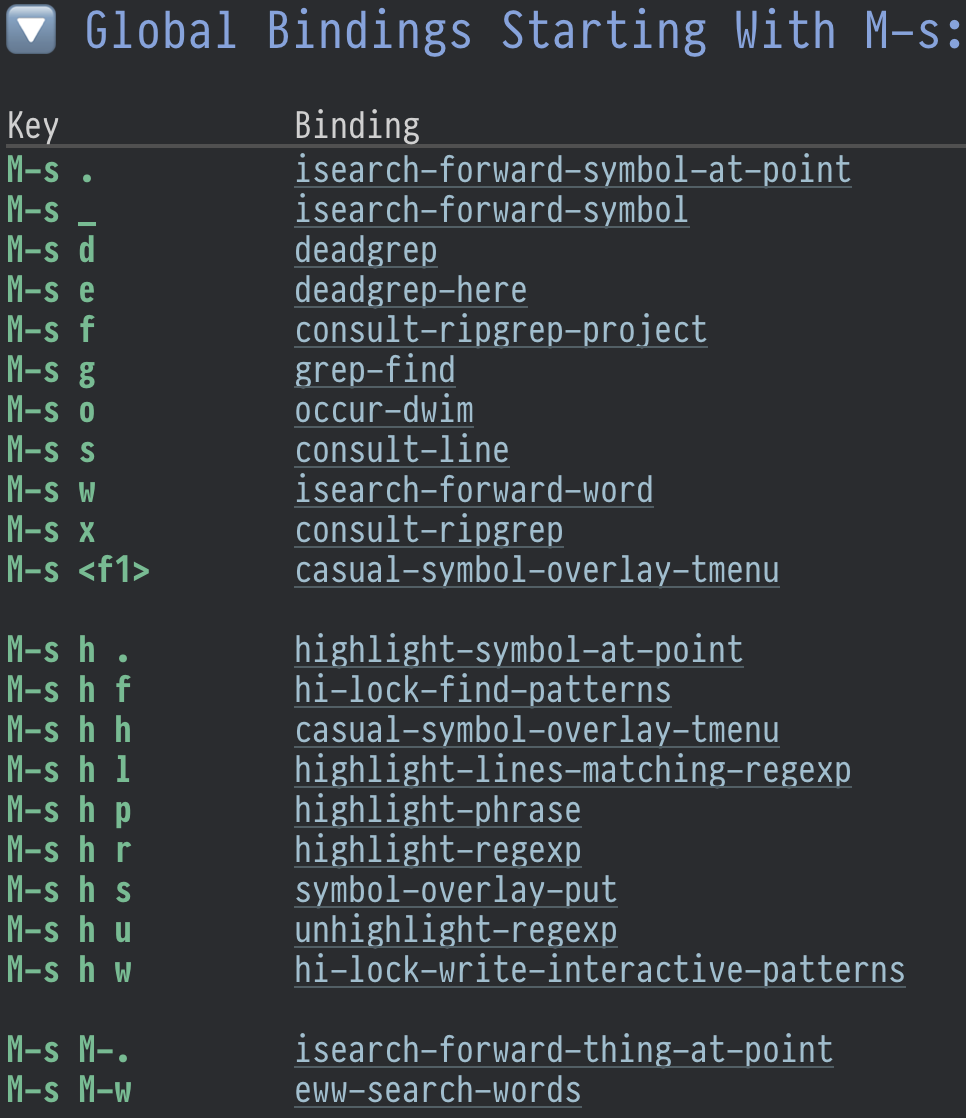
be able to quickly find them (e.g. with {M-x deadgrep}).
Wrap h3 into details on index page
To declutter the index page, h3 markdown headings (h2 Org headings)
are wrapped into <details> tag. The note page renders normally,
showing table of contents on the left sidebar.