Copy buffer-name with easy-kill

easy-kill Emacs package allows killing multiple things, switching between them on the fly. I use it to quickly grab the buffer-file-name (full path or file name only), using {M-w b}.

github
leoliu/easy-kill

Keybindings:

{M-w} without active region
copy current line, same as {x y} in meow-normal-mode
{M-w C-w} without active region
kill current line, same as {x s} in meow-normal-mode
{M-w b}
copy current full path to buffer-file-name
{M-w b 0}
copy current buffer-file-name
{M-w b -}
copy current directory

On <2026-06-04 Thu> I added {M-w B} to copy current buffer-name, useful to paste into Claude Code (running under ghostel for me).

Here's the configuration block:

(use-package easy-kill
  :config
  (keymap-global-set "<remap> <kill-ring-save>" #'easy-kill)
  (defun easy-kill-on-buffer-name (_n)
    "Get current `buffer-name'."
    (if (easy-kill-get mark)
        (easy-kill-echo "Not supported in `easy-mark'")
      (easy-kill-adjust-candidate 'buffer-name (buffer-name))))
  (add-to-list 'easy-kill-alist '(?B buffer-name)))
  1. Define function easy-kill-on-buffer-name.
  2. Add binding to 'easy-kill-alist.

visit-source.el

· :Emacs:Elisp:

visit-source.el is an utility Emacs package to quickly go to a file at point (under cursor). I bind (keymap-global-set "H-RET" #'visit-sourse) and can quickly go to files with line precision from anywhere, including log outputs.

Installation

grab a file visit-source.el, put it somewhere on load-path, bind to a key – I have it within ffap package:

(use-package ffap :ensure nil
  :config
  (require 'visit-source)
  ;;(setq ffap-file-finder #'visit-source)
  (setq ffap-file-finder #'find-file)
  :bind (("H-<return>" . visit-source)))
Usage

In any buffer put a point on a file-looking string and call {M-x visit-source RET} (or {H-<return>} for me).

File-looking string can be:

  • a filename
  • a filename with lines (as in exception or log output)
History

When I first find it on r/emacs comment, it was much simpler version and was intended as drop-in replacement for find-file. Then I added project awareness, so you can visit-source on a file Pavels-Emacs-Configuration-v3.org by filename, from anywhere in the project.

Initially I adopted visit-source instead of find-file {C-x C-f} but then switched to find-file-at-point that has a bit different semantics and kept visit-source at {H-RET} separately.

visit-source v0.3.0

visit-source worked in most cases, but still had some rough edges, like didn't parse when path at point ends with dots, so text like ../Pavels-Emacs-Configuration-v3.org. didn't parse, so I had to manually end sentences with "../Pavels-Emacs-Configuration-v3.org file." or "../nv directory." Yesterday I bumped into the need to visit arbitrary Org Mode link. {C-c C-o} runs OS open on it, so log files were opening with TextEdit.app for me. Surely I can reconfigure it in macOS level to associate Emacs with log files (via UI?); but visit-source looks the way for it.

Given personal tooling reneissance, with Claude Code on <2026-05-06 Wed> I asked it to refactor the code - extract helper pure functions, implement fixes, support Org Mode links, get rid of trailing punctuation, add tests.

So meet visit-source v0.3.0 – visit-source.el!

terraform-ts-mode

At work I work with Terraform, so need to edit quite a lot of tf files in GNU Emacs. There's no built-in terraform-ts-mode Emacs package and I don't want to install regexp-based terraform-mode package

Existing terraform-ts-mode is this: kgrotel/terraform-ts-mode, which claims being experimental. So it's a good opportunity to learn how to create major modes using Tree Sitter and on <2026-05-05 Tue> I built my own with Claude Code.

Installation: put terraform-ts-mode.el to load-path.

Usage:

(use-package terraform-ts-mode :ensure nil
  :init
  (add-to-list 'major-mode-remap-alist '(terraform-mode . terraform-ts-mode)))

With this knowledge, the next step is [TK: try mickeynp/combobulate package].

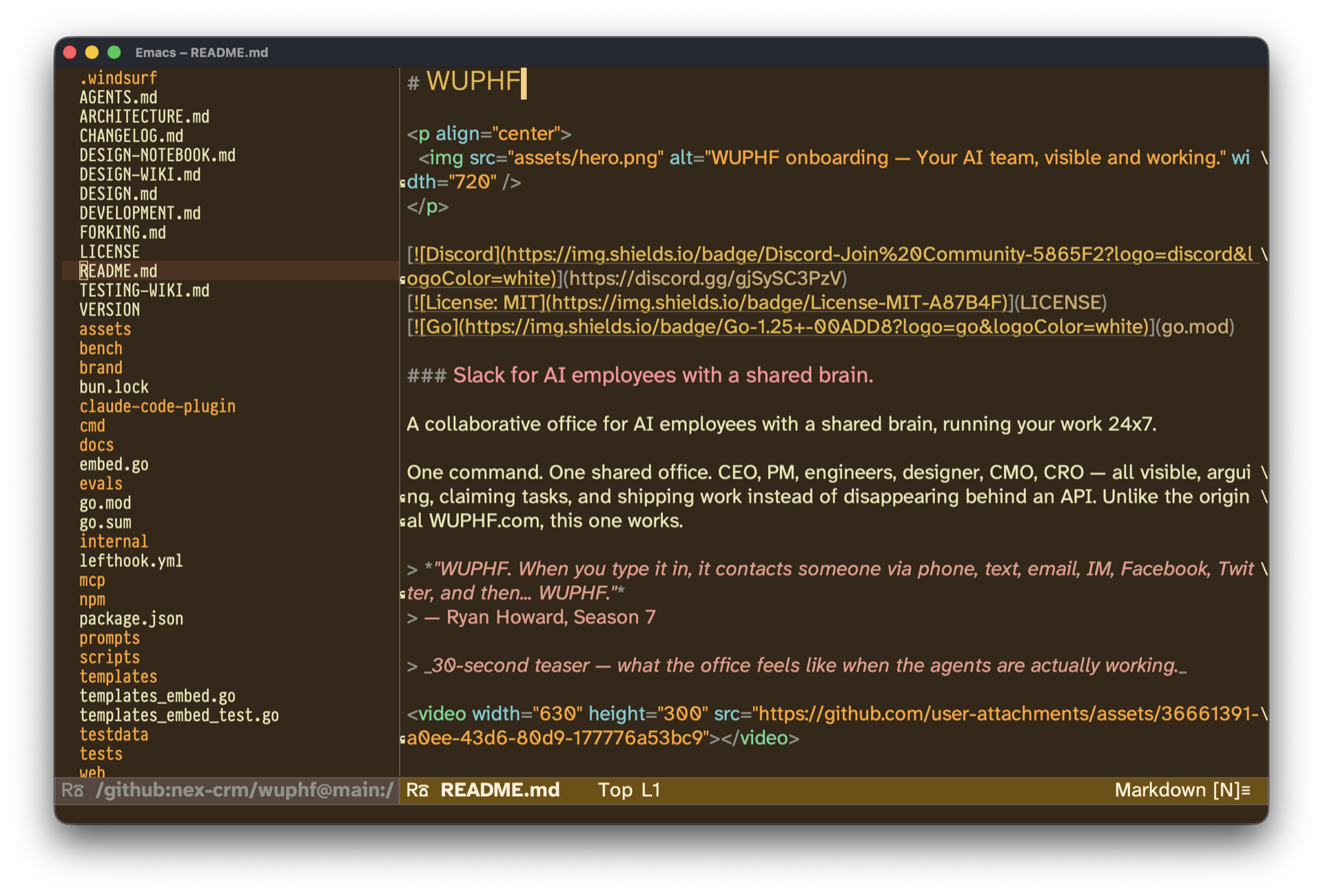
remoto.el: Browse GitHub repos without cloning

An Emacs package to browse Github without cloning the repository. Uses magit/ghub package for interacting with Github.

Installation:

(use-package remoto
  :vc (:url "https://github.com/agzam/remoto.el"))

Examples:

(remoto-browse "torvalds/linux") ;; hangs for a minute on a slow connection
(remoto-browse "https://github.com/agzam/remoto.el")
(find-file "/github:nex-crm/wuphf@main:/CHANGELOG.md")

Screenshot: img

Trying gptel-quick

karthink/gptel-quick is an Emacs Package to do quick LLM lookups of selected region.

On <2025-06-12 Thu> I installed it using this snippet:

(use-package gptel-quick :ensure t
  :vc (:url "https://github.com/karthink/gptel-quick" :branch "master")
  :bind (("C-c j l" . gptel-quick)))

Now, when I select a region and press {C-c j l}, gptel-quick opens a posframe at point with short explaination of the term. Works well, akin to built-in macOS feature "Lookup", but powered by LLM hense can give context-aware answers.

Check videos in karthink/gptel-quick, they are good.