Rolled fourth version of my agent harness, now called monkey. It's a
monkey.el Elisp package + set of skills + ghostel under the hood.
Good bye Mosk and Flowmaster.
Went on vacation for a week with friends. Visited Belgium,
Luxembourg and Germany. Soon will publish photo albums.
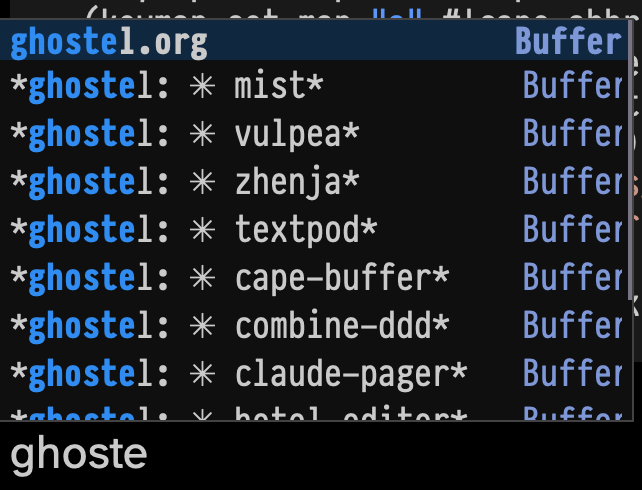
Add buffer name autocomplete to cape
I use cape.el to manage specific completion-at-point functions.
The most used ones for me are {C-c t f} - complete file name and
{C-c t s} - complete Elisp symbol.
After starting using ghostel with Claude Code being able to complete
the buffer name became more desirable than ever, so I can quickly
drop into notes things like this:
(vux-ghostel-buffer "cape-buffer")
Asked Claude, it wrote "cape-buffer-name" function, bound to {C-c t b}. Works!
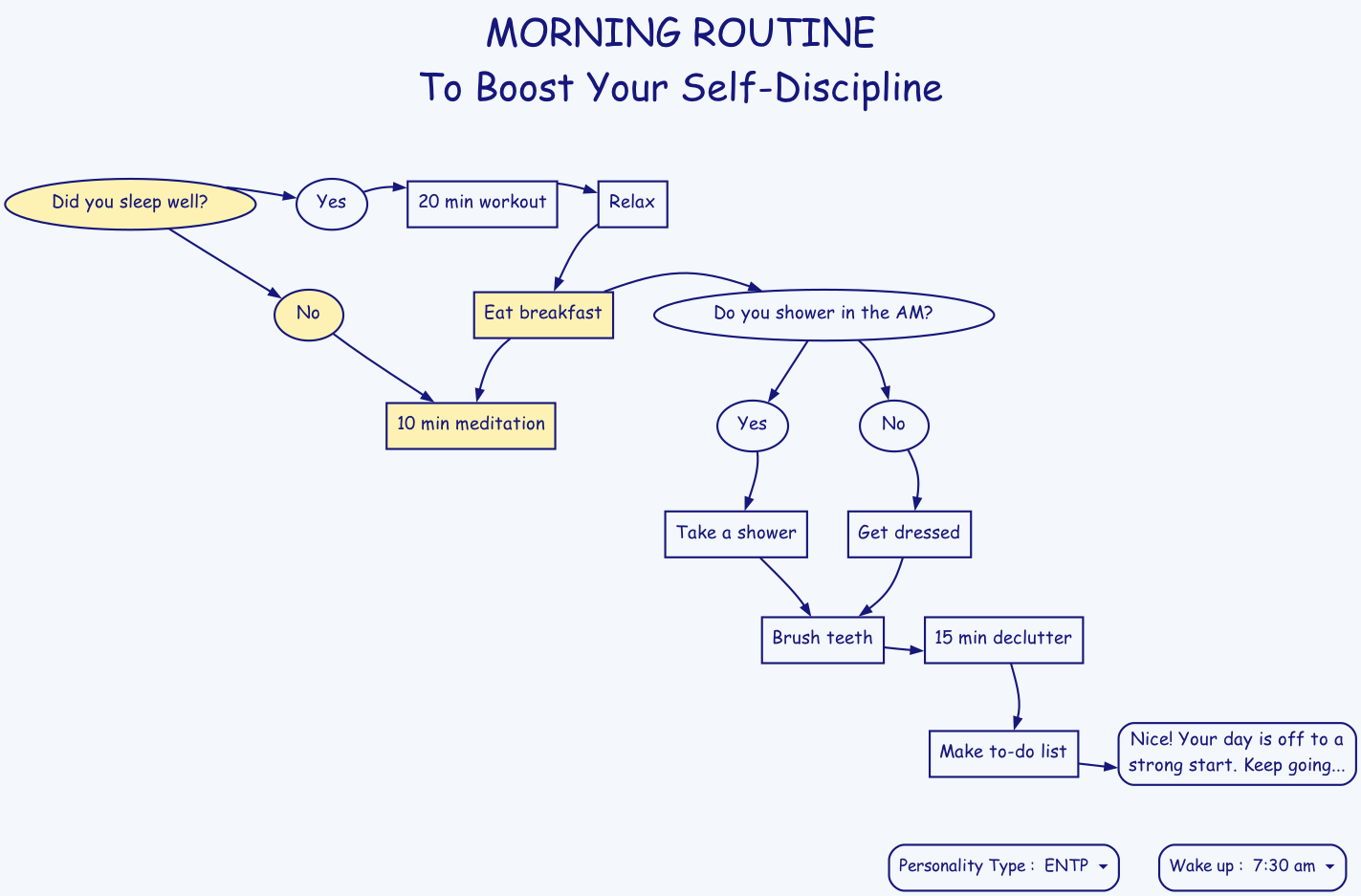
I was cleaning my screenshots directory and spotted one from the
"Wisey" service that teaches you mindfullness and habits. I didn't go
to subscribe to the service but I did save the screenshot.
I asked Claude Code: I want Graphviz graph that looks as close as
possible to this file:
And here's the result I got in a minute:
(vux-ghostel-buffer "graphviz-morning-routine")
Not bad, huh?
claude-pager
On <2026-06-03 Wed> I somehow bumped into idea to
use emacsclient as EDITOR in Claude Code.
Turns out CC respects EDITOR env variable, either from
environment or configured in ~/.claude/settings.json:
In that issue I spotted this project: gradigit/claude-pager. Fast C
transcript pager for Claude Code: no blank Ctrl-G screen, clickable
links/files, queued prompt composer. And its sister editor: gradigit/turbodraft.
Tried both. Turbodraft - I don't need another text editor rather than Emacs,
so skipping it. But claude-pager looks useful, so I forked it.
First, I wired Emacs into claude-pager; so that it renders transcripts
in both CC screen when it waits for the prompt + adds it to Emacs temporary
buffer.
This mostly solves clunkiness of copying from claude terminal into Emacs and
back - now I press {C-g} in claude and continue editing in Emacs.
{C-g} in claude opens claude-pager-open that generates transcript
and pastes it into both terminal and to the temp file to edit in Emacs,
then runs claude-emacs-prompt shell file that calls elisp file which
loads into the buffer, assigns keybindings etc.
Then I rewrote the binary from C to Zig. Rewrite used Superpowers to
develop a spec first, then launch a series of agents. It took 4+
hours for CC to finish rewrite, it was ready in the morning. It used
all extra usage (42 EUR) in fast mode in first 20 minutes.
7000 loc in C => ??? in Zig.
Now I understand the C well.
Another interesting project from the same author:
gradigit/confetti - Lightweight confetti animation for macOS — fire
colorful confetti from your screen corners
Copy buffer-name with easy-kill
easy-kill Emacs package allows killing multiple things, switching
between them on the fly. I use it to quickly grab the
buffer-file-name (full path or file name only), using {M-w b}.
In order for format-all picks up terraform-fmt formatter of Terraform files,
when using Tree Sitter with terraform-ts-mode, the mode should be registered
in language-id package like this:
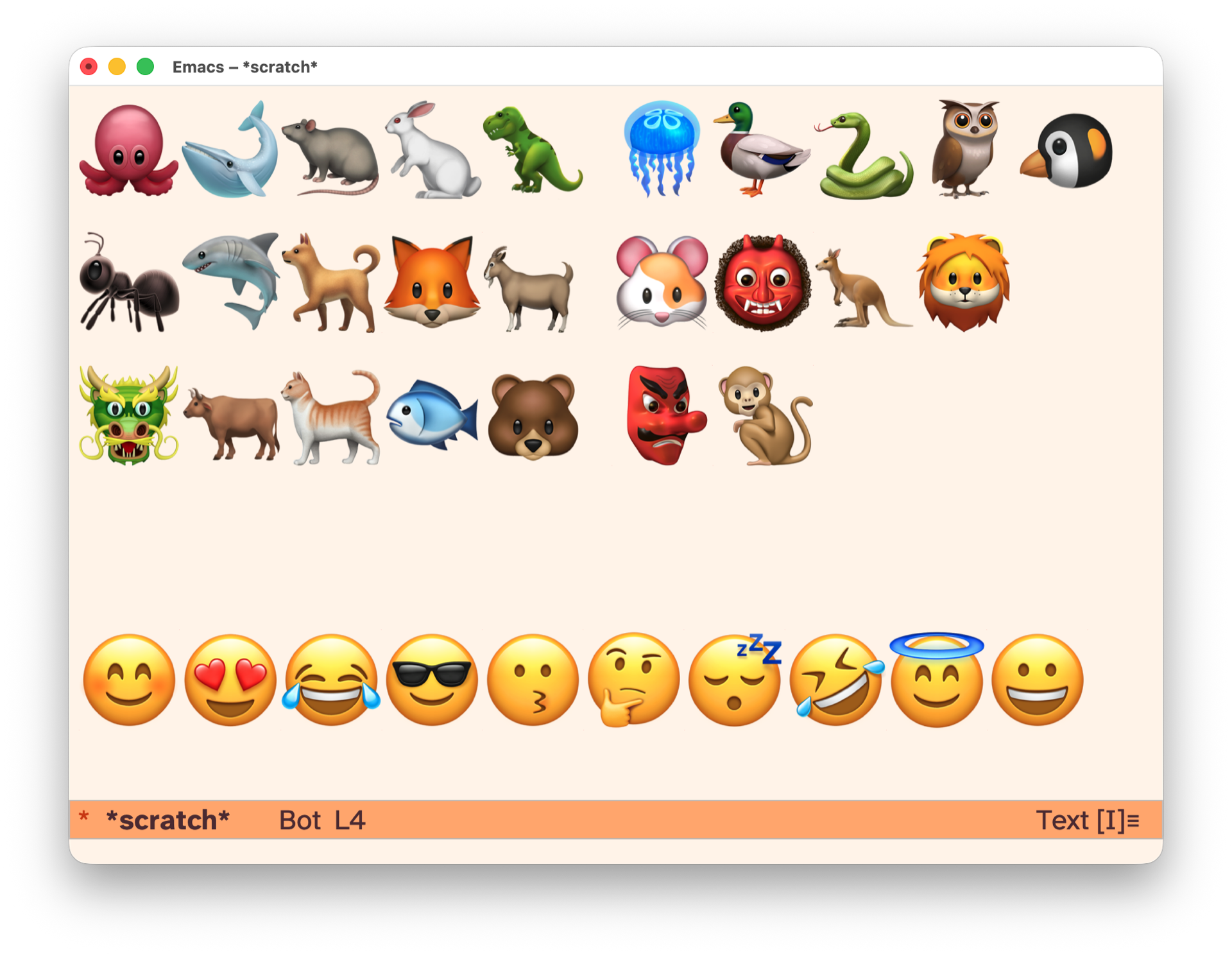
To have fun with kids, I wrapped kids-unicode minor mode that brings
keymap redefining every key to insert emoji. Enable with {M-x
kids-unicode-mode} and have fun typing, encoding names with emojis and
train memory.
Below is the content of ~/.claude/skills/youtube-monitor/SKILL.md that
I fully wrote myself. You can see results by searching for YouTube
tag. I added a Claude Routine to run this skill daily. Let's see how
it would work.
---
name: youtube-monitor
description: Monitor and summarize new YouTube videos from channels I follow.
compatibility: Requires curl and network access.
allowed-tools: Bash WebSearch
---

## Instructions

### Step 1: Identify channells that I follow

Check `elfeed-feeds` variable in Emacs (via `emacsclient`), filter YouTube
channels.

### Step 2: Find latest videos using /youtube-finder skill

Exclude shorts.

### Step 3: Find new videos that were not yet summarized

Run this shell command, providing correct user handle of the channel:

```sh
cat ~/Notes/youtube_summaries.org | grep -E '(<handle>)' -A5 | head -n 10
```

In results will be the last summarized video, all videos after that are new.

### Step 4: Summarize each new video

Summarize each new video using /youtube-summarizer skill, write new
summary to ~/Notes/youtube_summaries.org file as the first heading,
using this template:

```org-mode
* <title of the video> – <name> (<handle>)   YouTube
:PROPERTIES:
URL <url of the video>
DURATION <MM:SS>
PUBLISHED <YYYY-MM-DD DOW>
END
- <url of the video>

<abstract>

/summary generated by my "YouTube summarizer" AI skill./

<full summary, if using subheadings, only H2 are allowed>
```